Improving Transaction Traceability for Operations Teams
Redesigning the workflow to give operators visibility into transaction history, ownership, and decision-making — so they can act with confidence.
Role
UI/UX Designer
Duration
2–3 Weeks
Overview
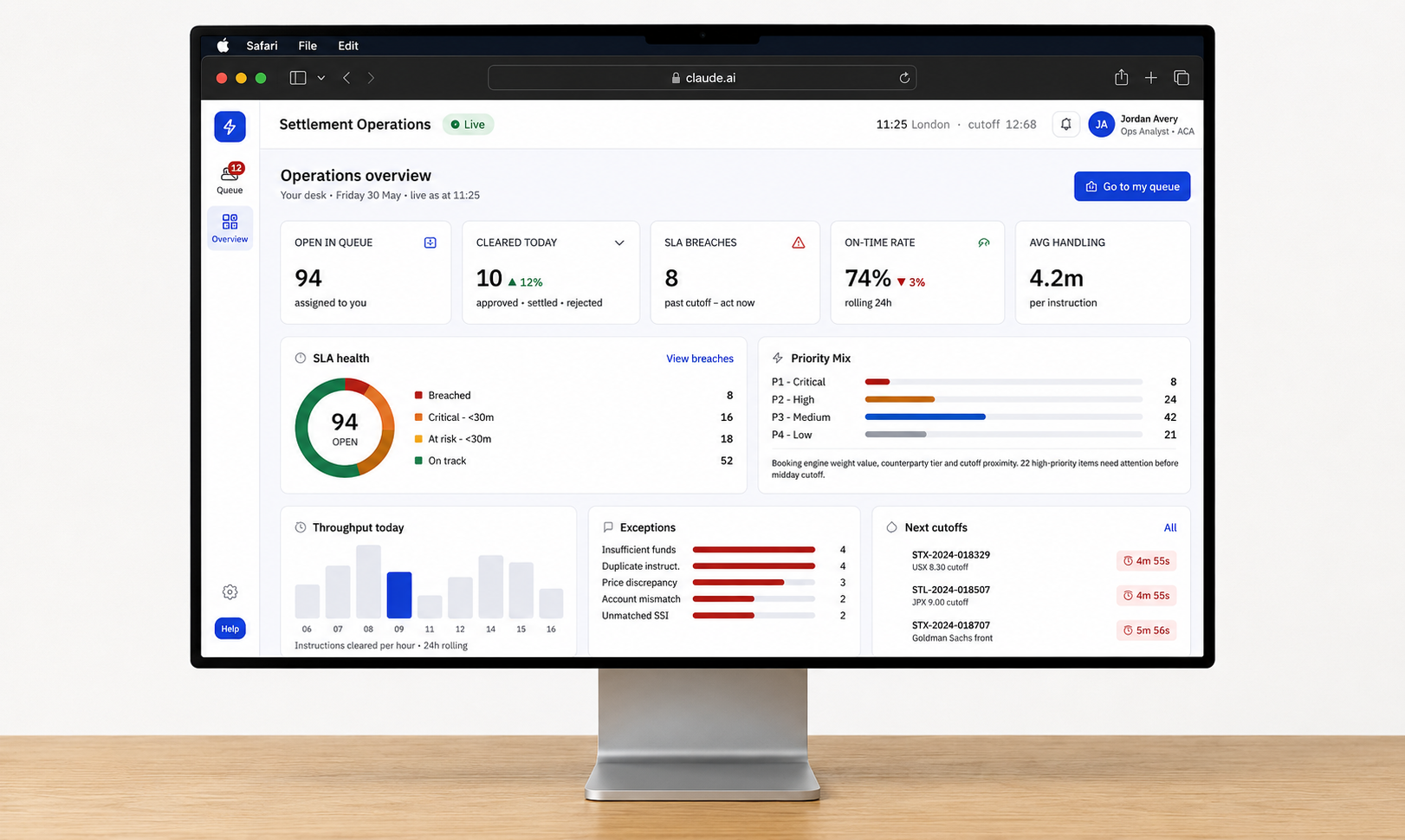
Operations teams process hundreds of transactions every day. As volume increased, operators found it difficult to understand why transactions changed status, who handled them previously, and what actions had been taken along the way.
I redesigned the workflow to improve visibility into transaction history, ownership, and decision-making, helping teams process transactions with greater confidence.
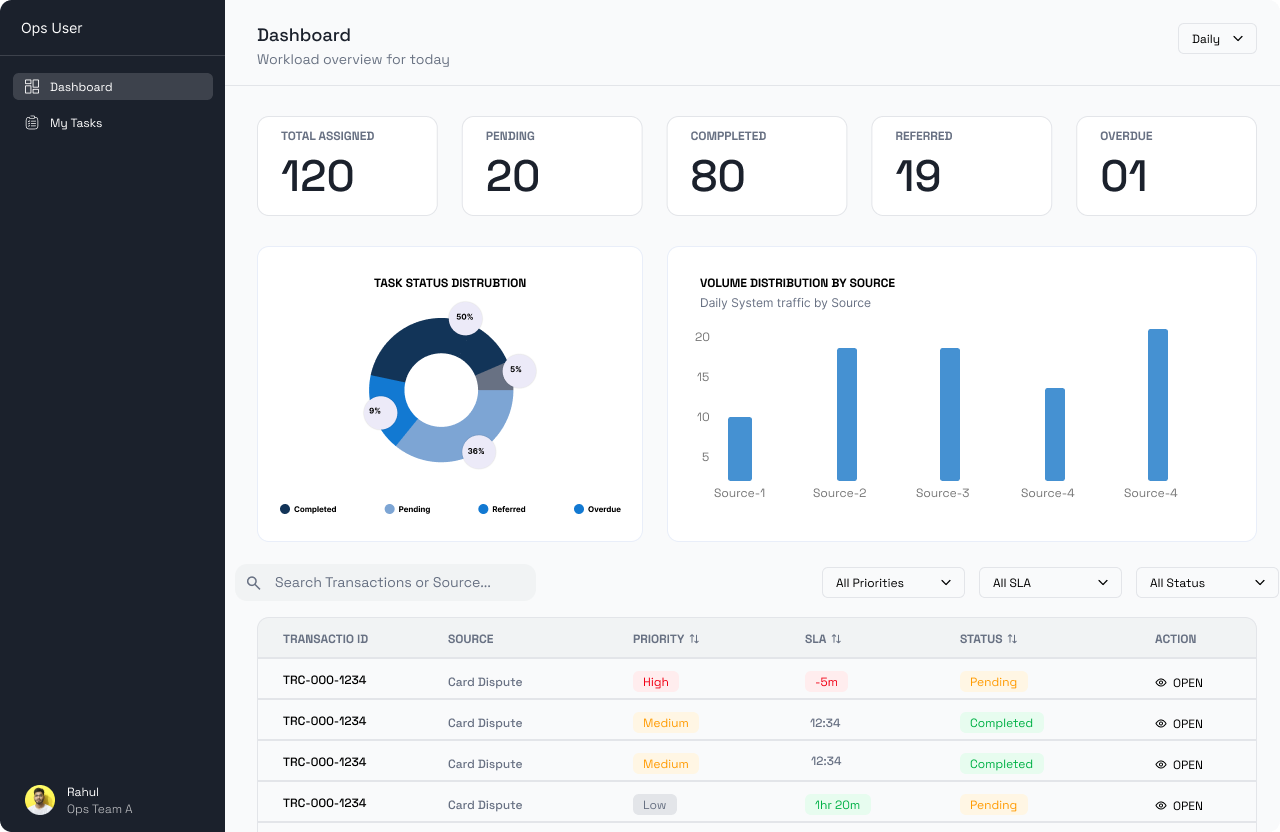
Old ops dashboard
User Research
Spoke with operations users and reviewed their existing workflow
Difficulty understanding why a transaction changed status
Ownership changes and referrals were difficult to track across teams.
Time spent reconstructing context from emails and logs before deciding what to do next.
Brainstormed possible opportunities
Surface a clear, human-readable history of every status change
Show who touched a transaction and when at every step
Surface the right context inline, at the moment of action
Goal
Make transaction workflows more transparent
The goal was to make transaction workflows more transparent by helping operators quickly understand what happened, who was involved, and what action was required next.
Rather than adding more information, the focus was on surfacing the right information at the right moment.
User Flow
Understanding the flow
Two flows drive the operator experience. The primary path moves a transaction from assignment to completion. The referral path handles cases where additional context or escalation is needed before an action can be taken.
Process
Trying AI for ideas
Instead of going straight into Figma, I explored ideas using Claude and Lovable. I tried numerous concepts and they created instant prototypes — letting me test workflow directions quickly before committing to any one approach.
Prototypes generated with Claude
I used Claude to rapidly sketch interface concepts — transaction timelines, ownership views, audit trail layouts. Each iteration took minutes, not hours, letting me evaluate structure and hierarchy before touching Figma.
Prototypes generated with Lovable
Lovable allowed me to explore full interactive prototypes from text prompts. I could test navigation patterns, layout variations, and user flows end-to-end — before any visual polish.
Refinement
Building on with Claude
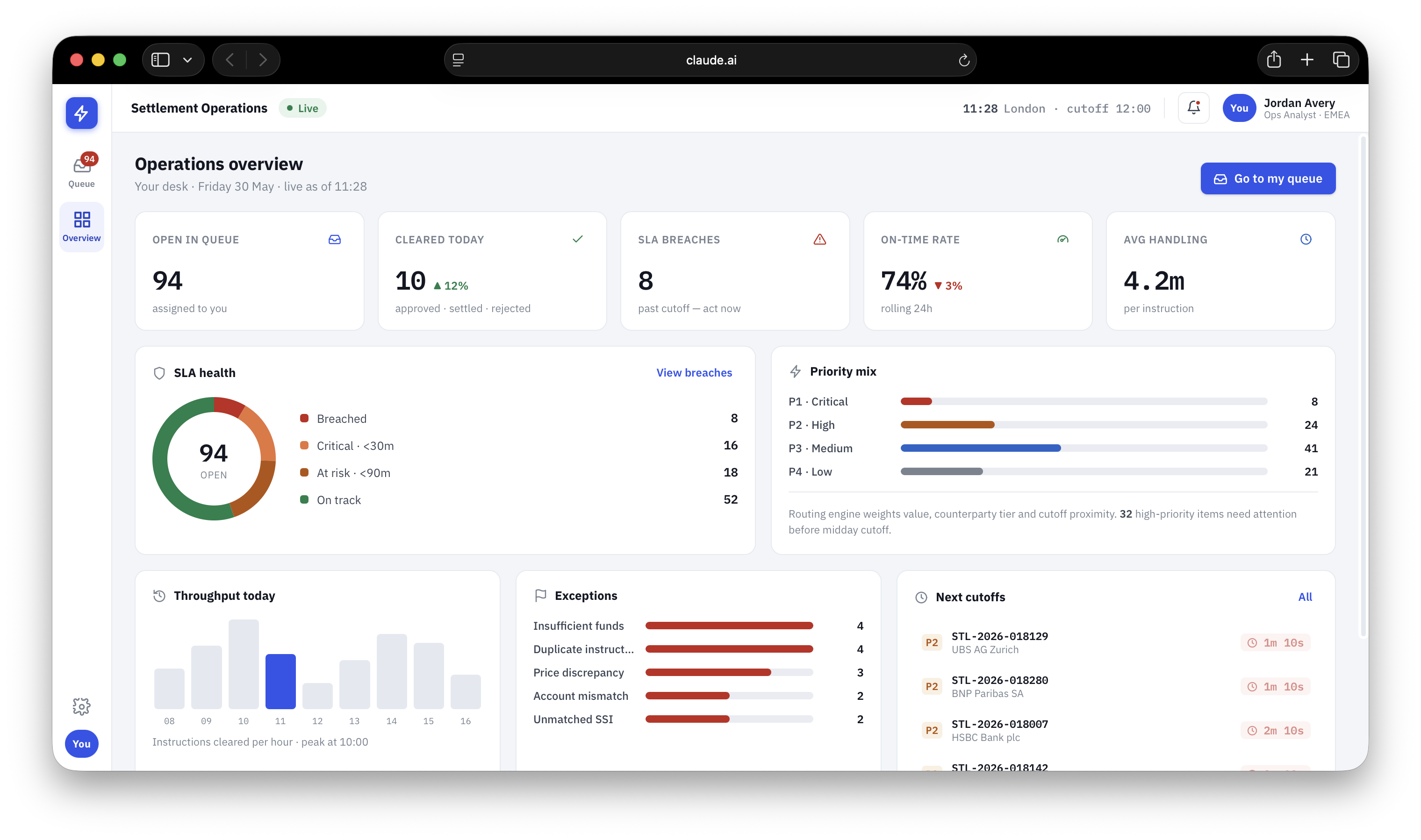
The team loved the idea of the dashboard and flow, so I refined it further while enhancing the visual design. The AI-generated foundation gave us a strong starting point — everything from here was about precision, hierarchy, and polish.
Results
The experience evolved from a basic transaction tracker into a more transparent operational workspace.
- Operators can now understand a transaction's history, ownership changes, and decision context without spending time investigating previous actions
- Using Claude accelerated early-stage exploration, allowing multiple workflow directions to be tested quickly before refining the final experience
- The redesign improved visibility into transaction progress and demonstrated how AI can support faster design exploration while keeping user needs at the center