Designing mobile app for Parking lot Operators
A mobile app for Parking lot Operators — managing check-ins, checkouts, and payments under real queue pressure.
Role
Product Designer
About
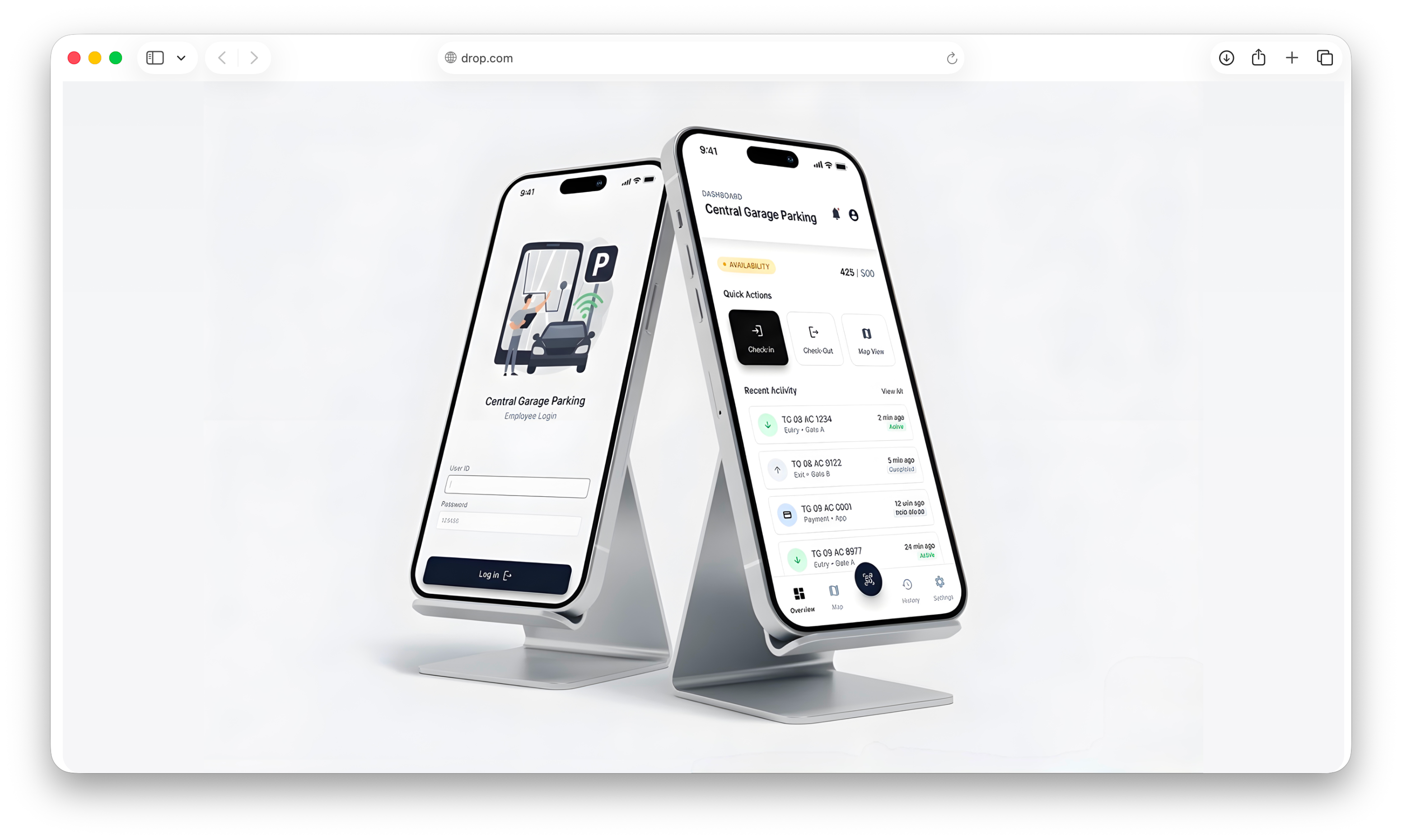
Parking operators manage hundreds of vehicles every day. Every check-in requires assigning a parking space, collecting payment, recording vehicle information, and keeping traffic moving.
Most operators were handling this process manually using paper records and standalone payment terminals. As vehicle volume increased, the process became difficult to manage. Missed entries led to revenue leakage, operators struggled to keep track of available spaces, and drivers were often stuck waiting in long queues.
Drop was designed to bring the entire parking operation into a single workflow—helping operators process vehicles faster, reduce errors, and maintain visibility across the lot in real time.
I led the end-to-end product design, from user research and workflow mapping to interaction design and final delivery.
The Problem

Most operators were handling this process manually using paper records and standalone payment terminals. As vehicle volume increased, the process became difficult to manage. Missed entries led to revenue leakage, operators struggled to keep track of available spaces, and drivers were often stuck waiting in long queues.
Problem 01
Manual Entries / Incorrect Entries
Problem 02
Missing Checkout Payment Entries
Problem 03
Slot Allotment
Problem 04
Slot Check Availability
My Role
Conducting user research to identify pain points and requirements.
Collaborating with engineers, operations teams, and product managers to ensure alignment on business and leadership goals.
Iterating on designs based on user feedback and technical constraints.
Conducted and led affinity mapping sessions during the pilot phase to prioritize user feedback.
Managed pilot testing with 20 providers, analyzed feedback, and refined the design for wider rollout.
Synthesized user feedback into actionable themes using FigJam and created a shared understanding among cross-functional teams.
Project Requirements
Through discussions with stakeholders and operations teams, we identified several requirements the solution needed to satisfy:
Reduce vehicle check-in time
Minimize manual data entry
Support camera-based license plate recognition
Operate on iOS devices used by operators
Handle card and cash payments
Track slot occupancy in real time
Reduce revenue loss caused by missed entries
Support operational edge cases without disrupting workflow
Operator Persona
Who is this built for?
The Operator
Ravi, 34
Parking lot attendant managing check-ins, slot assignments, and payments at a busy urban garage across multiple shifts.
Environment
High-traffic urban garage · 500+ capacity · 6 am – 10 pm · Peak hours 8–10 am and 5–8 pm
Goals
- Process vehicles quickly, especially during rush hour
- Always know which slots are free without walking the lot
- Handle payments as part of exit, not as a separate step
- Get through peak hours without making errors or falling behind
Pain Points
- Manual slot assignment leads to double-booking and confusion
- Juggling multiple tools slows down every transaction
- No real-time view of lot availability during busy periods
- Payments handled separately at exit create long queues
“When there’s a line of cars waiting, I don’t have time to think — I need everything right in front of me, one step at a time.”
User Flow
Understanding the flow
Two core flows drive everything. Both needed to account for real conditions — when auto-fetch fails, when a payment doesn’t go through, and when an operator needs to guide a customer to their spot.
Check-in Flow
Check-out Flow
Information Architecture
How the app is structured
The IA was kept deliberately shallow — most actions live one tap away from the dashboard so operators never lose time navigating.
Key Design Decisions
Four decisions came directly out of what I saw in the field. Each one has a specific reason behind it.
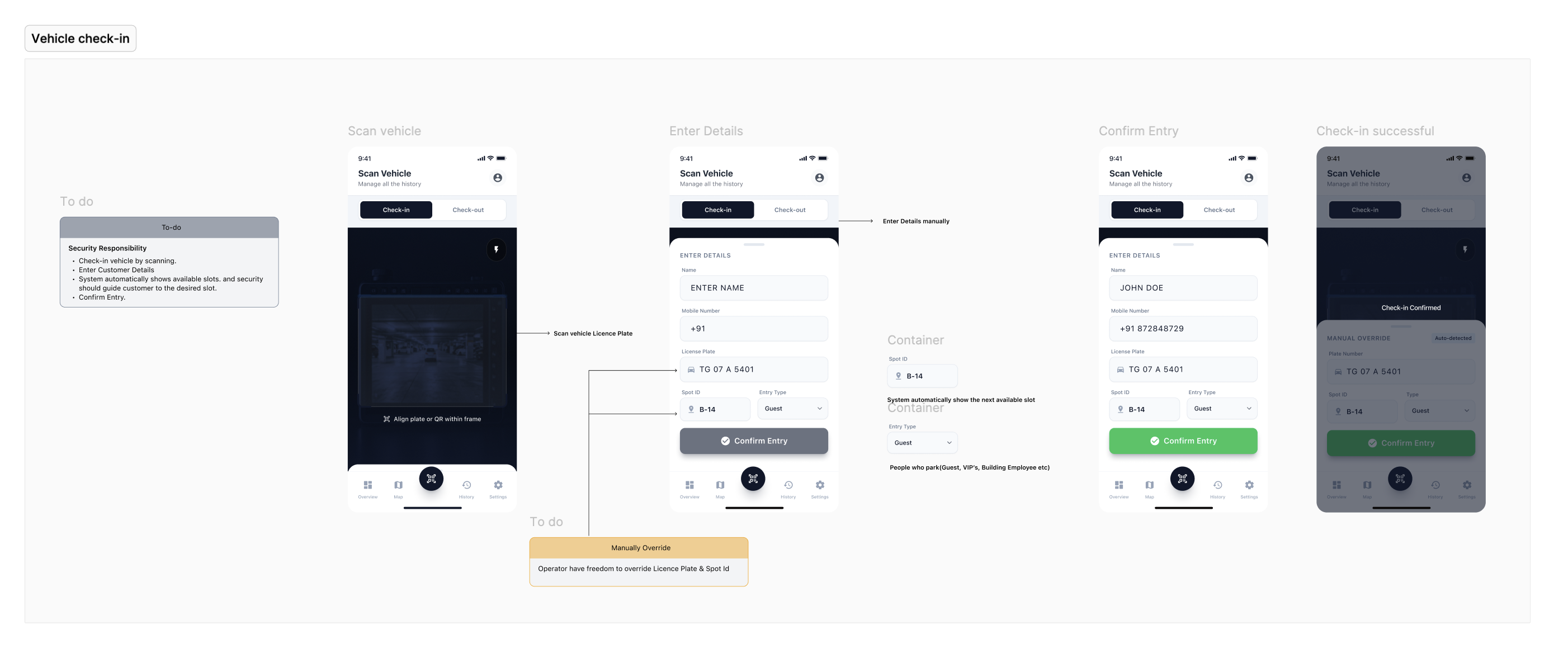
Scan-first, not type-first
Operators wanted to scan the license plate as soon as the customer arrived. It was faster, more accurate, and gave them more time to collect details. Typing was a backup for when the scan failed, not the primary method.
Auto-assign the slot. Override available.
The system automatically assigned the nearest available slot to the incoming vehicle. That was the most efficient for both customers and operators. But if the operator wanted to override it, they could choose any slot on the map.
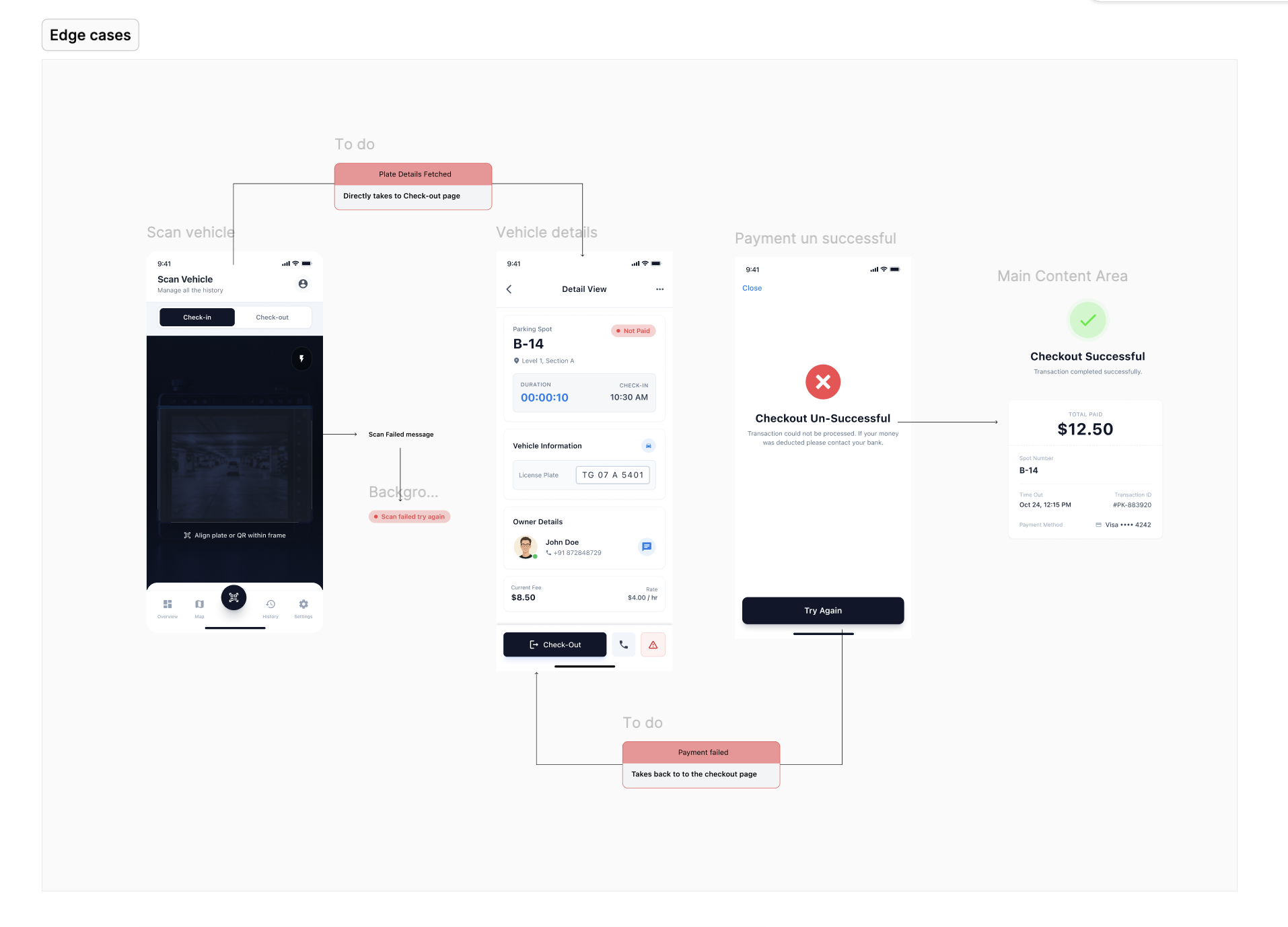
Edge case
Payment failure, plate already checked in, plate scan fails, cash vs card, mid-checkout cancellation — each of those needed an explicit, designed state. If any of them creates ambiguity, the operator stalls and the queue backs up.
This is where most of the real design lived. The happy path is easy. Operations tools live or die on what happens when things go wrong.
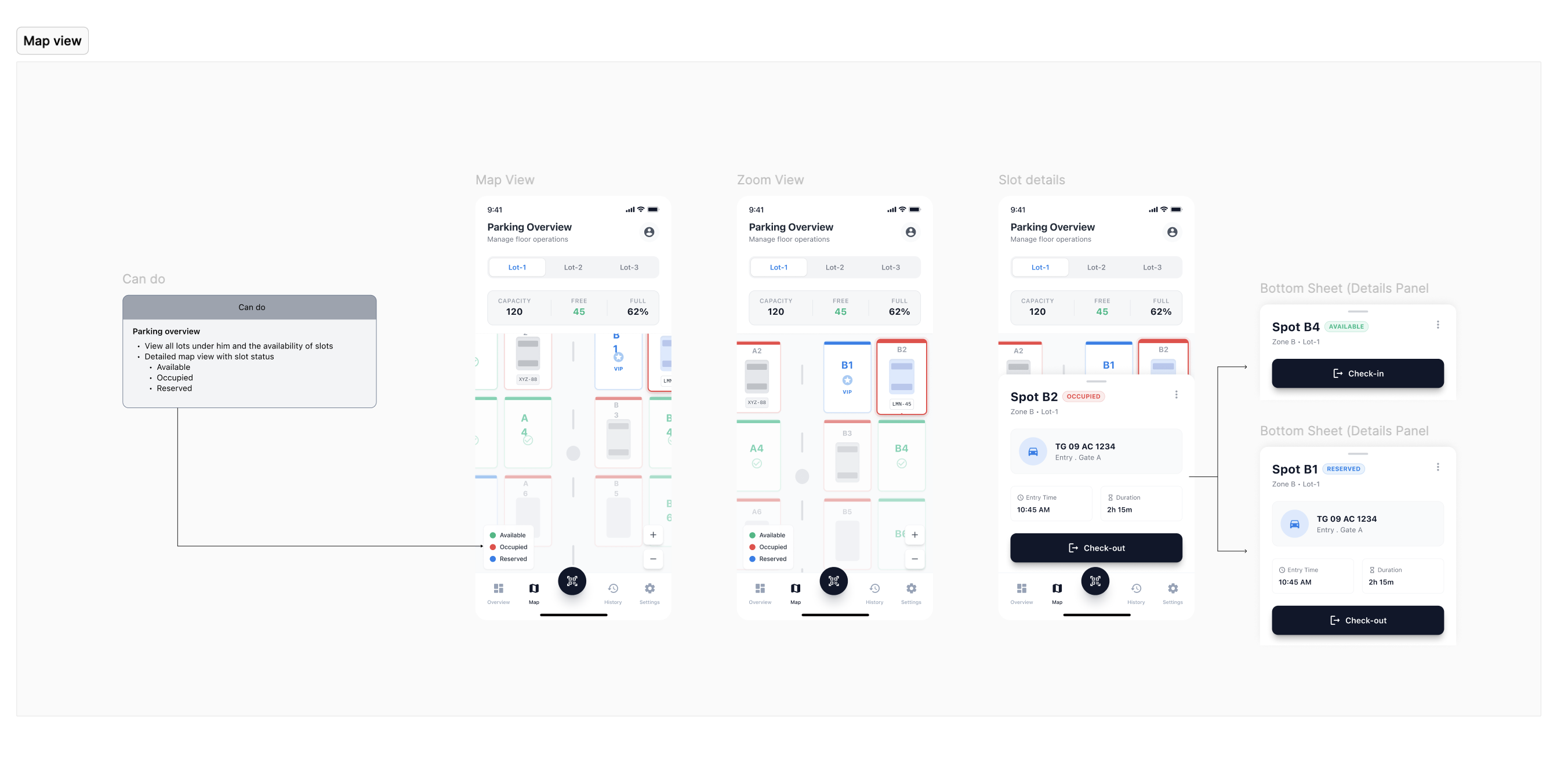
A map, not a list
We considered a list view for slot availability. But operators told us they think about the lot spatially — they know “row C is full, row D has spots near the exit.”
To match that mental model, I designed a visual parking map with clear status indicators, making it easier to understand availability at a glance.
The Impact
Drop addressed both problems directly. Entries that used to slip through now get captured — every check-in is timestamped and tied to a slot. And the check-in time dropped significantly: scan, confirm, done. For a team with a queue behind every car, that gap matters.
Check-in time reduced
Every entry tracked — no dropped sales
Shorter queues, faster throughput